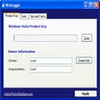
PCWin Recovery easily and safely resets ANY Windows password
PCWin Recovery easily and safely resets ANY Windows password
Vote (6 votes)
Program license Trial version
Developer FrontierDG
Version 5.0.2
Works under Windows
Vote
(6 votes)
Developer
FrontierDG
Works under
Windows
Program license
Trial version
Version
5.0.2
Pros
- Effective password reset for local and domain Windows accounts
- Works on systems that do not boot
- Recovers Windows and Office product keys
- Displays detailed driver information
- Undo feature minimizes risk during recovery
- User-friendly interface suitable for all experience levels
Cons
- No official support for the latest Windows 10/11 releases
- Not a free utility; full functionality requires purchase
- Some features may require bootable media creation
Password, driver, and product key recovery tool for locked or non-booting PCs.
Comprehensive Data and System Access Recovery
PCWin Recovery is a dedicated utility designed to help users regain access to their Windows systems when conventional login methods fail. Aimed at both home and professional environments, it covers a broad set of scenarios, from forgotten passwords to critical driver and product key recovery, even in situations where the operating system no longer boots.
Versatile Password Reset Capabilities
PCWin Recovery excels in password management, providing tools to reset local and domain account passwords across a wide range of Windows versions, including legacy systems like NT and 2000, as well as more modern releases up to Windows 8. Notably, it also supports resetting forgotten Administrator and Windows Live passwords, which is especially valuable as more users adopt cloud-based sign-ins.
Supports Non-Bootable Systems
A standout aspect of PCWin Recovery is its ability to function even when Windows cannot start normally. By creating a bootable recovery disk or USB drive, users can launch the software independently of the damaged operating system, ensuring that password resets and data extraction remain possible regardless of the machine’s condition.
Product Key and Driver Detection
Beyond password recovery, PCWin Recovery can retrieve lost product keys for both Windows and Microsoft Office installations. This allows for smoother system restores or upgrades by making sure no licensing information is lost. The program can also display a detailed list of system drivers, which proves beneficial for users planning a system migration or repair.
User Experience and Interface
The application features an intuitive, graphical interface aimed at minimizing the technical barrier for less-experienced users. Processes like password reset, product key retrieval, and driver listing are implemented through step-by-step wizards. An “undo” function allows for rolling back changes if necessary, reducing risks during sensitive operations.
Licensing Options
PCWin Recovery is offered in several versions tailored to different audiences. The Home version addresses standard user scenarios. IT technicians and businesses can opt for Pro and Business editions, unlocking expanded support for domain controllers and multiple workstations.
Performance and Reliability
PCWin Recovery is recognized for its stability, even on older Windows releases. The commitment to supporting legacy systems makes it a valuable tool for environments where mixed-generation operating systems are still in use.
Pros
- Effective password reset for local and domain Windows accounts
- Works on systems that do not boot
- Recovers Windows and Office product keys
- Displays detailed driver information
- Undo feature minimizes risk during recovery
- User-friendly interface suitable for all experience levels
Cons
- No official support for the latest Windows 10/11 releases
- Not a free utility; full functionality requires purchase
- Some features may require bootable media creation